

For teams running on a spreadsheet
Get your business out of Google Sheets
Your spreadsheet got you this far. TicketStacker turns those rows into tickets that move through your steps, land on the right person's plate, and tell customers what's happening.
Free during the pilot · Bring a CSV from Google Sheets or Google Forms
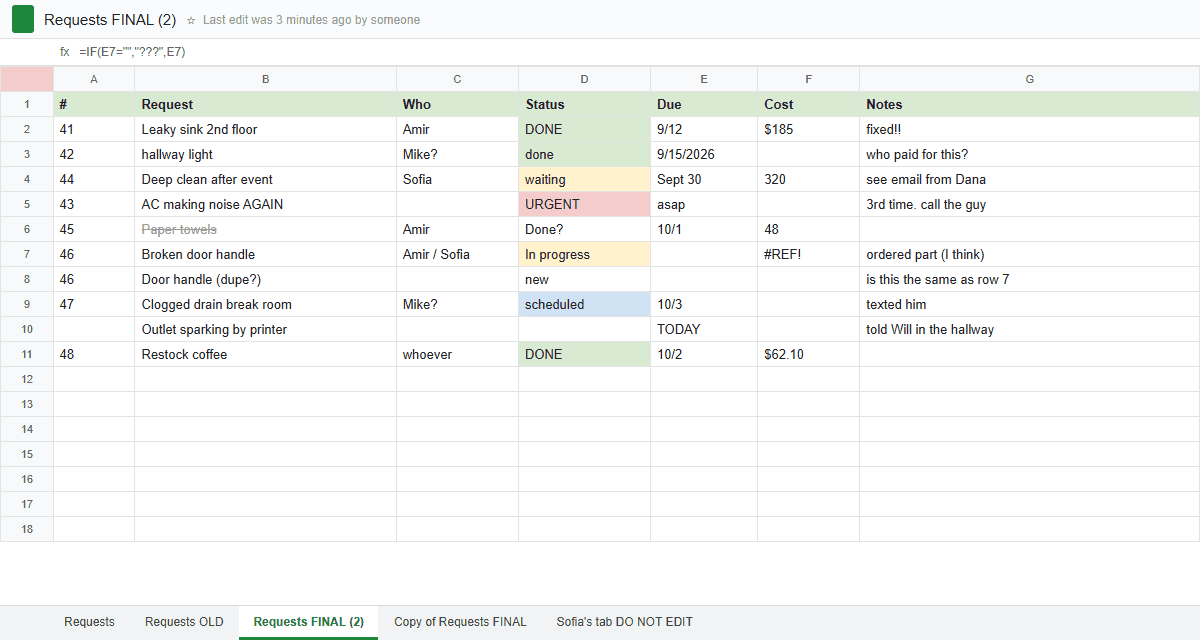
Sound familiar?
“Who's on this one?”
The Owner column says “Mike?” and nobody's sure.
Rows go missing
Someone sorted one column and not the rest.
Due dates don't remind anyone
A date in a cell never sends an email.
Customers call for updates
Because they can't see anything.
Twelve tabs and three copies
“Requests FINAL (2)” is the real one. Probably.
No history
You can't tell who changed what, or when.
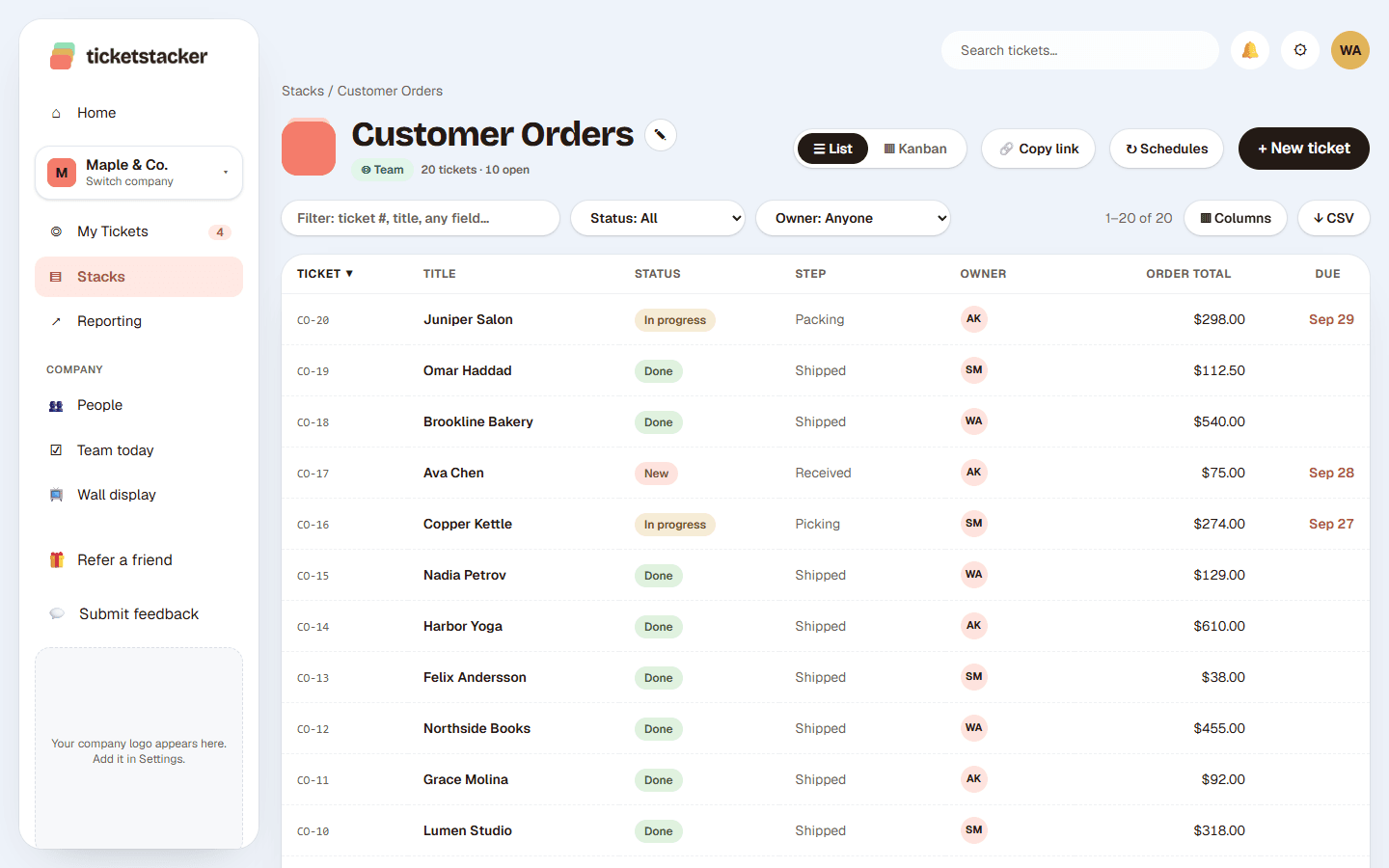
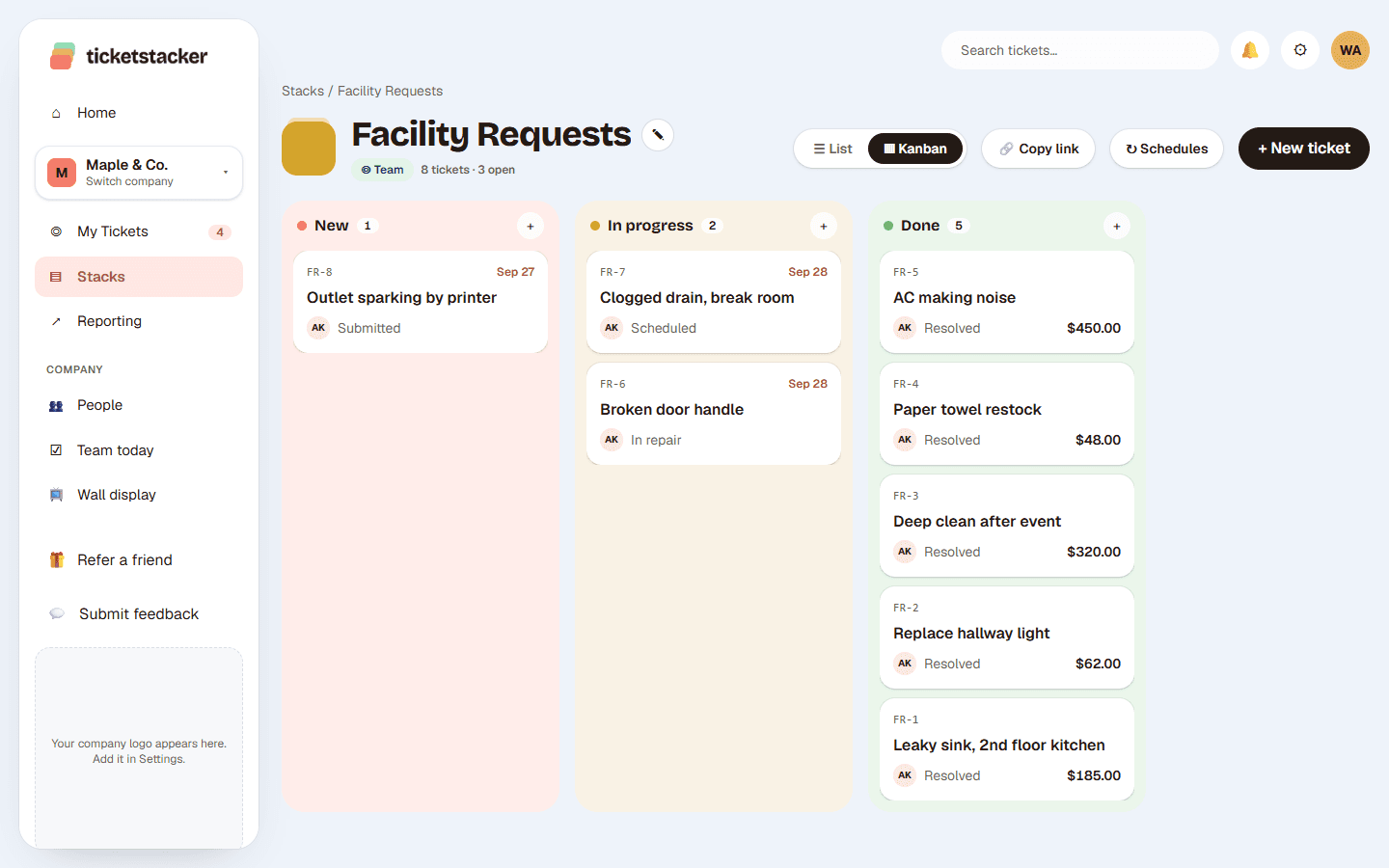
Every row becomes a ticket that moves
A number for everything
Each request gets an ID like CO-1038 that anyone can search.
Your columns become fields
Dropdowns, dates, money, checkboxes and files. Mark the ones that matter as required.
Your Status column becomes steps
A ticket can't move on until it's ready, like no “Resolved” without a cost.
Work lands on the right plate
Owners are assigned by hand or automatically by step, and see what's due on their Home screen.
Customers stay informed
Automatic emails at the steps you choose, plus a link to follow their request.
Reports without pivot tables
Opened vs closed, time in each step, and totals by any field.
Google Sheets vs TicketStacker
| In Google Sheets | In TicketStacker |
|---|---|
| Requests arrive by text, email and hallway | One web form, QR code or email address per stack |
| Status typed by hand | Steps with rules, so nothing skips ahead |
| An Owner column | An assigned owner who sees it on Home and in Today's Stack |
| A due date in a cell | “Due soon” on Home, with overdue flagged |
| Customers call for updates | Automatic emails and a “Track your request” link |
| Notes in a cell comment | Comments, @mentions, attachments and full history |
| Anyone can delete a row | Roles per stack, and every change recorded |
| Pivot tables | Built-in reports |
Move in three steps
- 1
Download your sheet as a CSV
In Google Sheets: File → Download → Comma-separated values.
- 2
Import it
TicketStacker recognizes dates, emails, numbers, money and yes/no, and lists anything that doesn't fit before saving. Imports send no emails, and one click undoes them.
- 3
Set your steps and invite your team
Or start from one of 20+ templates if you'd rather not start from scratch.
Keep what you liked about the spreadsheet
Still yours to shape
Your fields, your steps, your words.
Lists with filters
Columns and filters that remember how you like them.
Your data, any time
Download a CSV of any view. You're never locked in.
Built for shops, clinics, offices, property managers and service businesses with a few people to a few dozen. A person can belong to more than one company, and each company's data stays separate.
Questions
Will I lose anything when I import?+
No. Nothing is saved until you click Import, values that don't fit are listed by row first, and original created dates are kept so your reports stay accurate.
Do my customers need an account?+
No. They use a web form, a QR code or email, and get a confirmation email with a link to follow their request.
Can I still get a spreadsheet out?+
Yes. Any filtered list downloads as a CSV that opens in Excel or Google Sheets.
Does it stay in sync with Google Sheets?+
Not yet. Import is one-time, and TicketStacker becomes the one place the work lives. Developers can use our API.
What does it cost?+
It's free during the pilot. We'll give at least 30 days' notice before any charges, and you can choose not to continue.
See how it works, step by step
- How-to guide · 1 afternoonMove from Google Sheets in an afternoonBring your tracking spreadsheet over, history and all, then switch the team over without a big announcement.
- Help articleImport from a spreadsheetTurn your Google Form responses or any spreadsheet into a stack full of tickets, with original dates, quietly and undoably.
- How-to guide · 10 minutes a weekA 10-minute weekly reviewA short Monday routine with your reports that catches stuck work early and shows where your process needs a tweak.