

Features / Projects and Gantt charts
Projects
Plan the big stuff on a Gantt chart
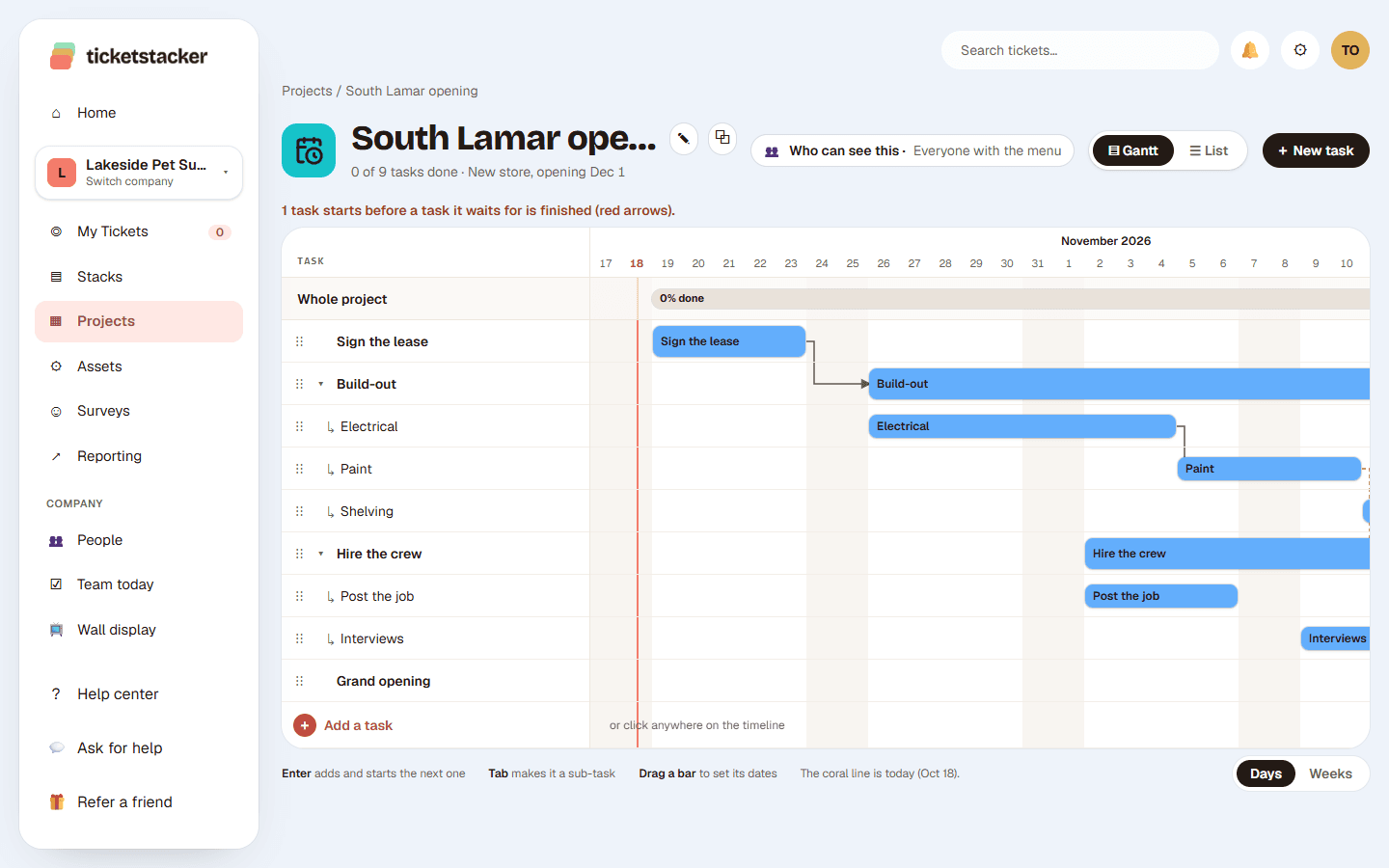
Some work has a finish line. Projects give you tasks, sub-tasks and dates on a Gantt chart, and every task is a real ticket with an owner, comments and reminders.
Free during the pilot
What you get
Fast to fill in
Type a task and press Enter for the next. Press Tab to tuck it under the one above as a sub-task.
Drag to reschedule
Move a bar to change its dates, or drag either end. It saves right away.
Tasks that wait
Link a task to the one it waits on. The arrow turns red when the plan doesn't add up.
Every task is a ticket
Owners, comments, files, history and reminders, the same as any request.
On Today's Stack
Tasks scheduled for today show up for the person who owns them.
Private when needed
Open a project to everyone or only the people you add. Admins choose who sees the Projects menu.
Running dozens of large projects with resource leveling and budgets? A dedicated project tool fits better. For the projects a small business actually has, this is plenty.
Questions
Is there a list view too?+
Yes. Switch to List to see every task with its status, owner, dates and length.
Can tasks have sub-tasks?+
Yes, one level deep. The parent bar stretches to cover its sub-tasks.
Can people outside the project see it?+
Only if the project is open to the whole company. Otherwise only the people you add can see it.
See how it works, step by step
- Help articleProjects and Gantt chartsPlan a project from start to finish: tasks and sub-tasks with start and end dates, on a Gantt chart, a list or a calendar.
- Help articleWho can use Projects and AssetsChoose who sees Projects, Assets and Surveys in the left menu, and keep a project to just the people working on it.
- Help articleToday's StackPick what you'll get done today, check it off as you go, and see what your team is working on.
Goes well with
- Equipment and asset trackingEvery piece of equipment with a QR label and a repair log. Scan it to report a problem.
- Your own fields, steps and rulesStacks with the fields, steps, rules and automatic emails each kind of work needs.
- Reports and dashboardsCharts in your brand colors, dashboards from templates, and a scorecard by email.
Try it with your own requests
Free while we build TicketStacker with a small group of businesses.