

Features / Equipment and asset tracking
Assets
Know every machine, and every repair
List your equipment by store and type, print a QR label for each piece, and log every repair against it. Anyone can scan a label to report a problem with that exact machine.
Free during the pilot
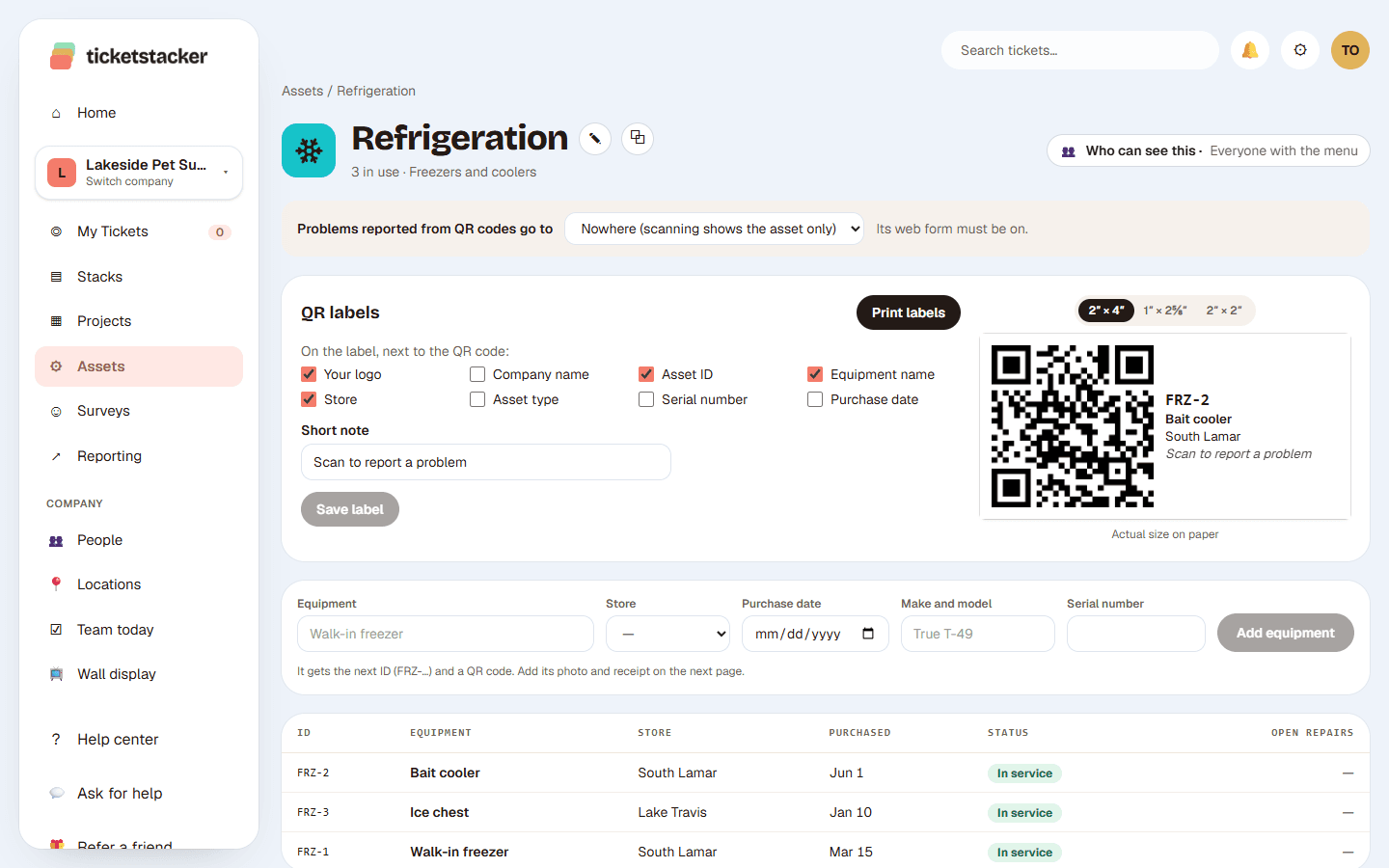
What you get
Organized by type and store
Freezers, vehicles, registers: each type has its own fields, like model, serial number and purchase date.
A QR label on each piece
Print labels on standard Avery sheets. Each one opens that machine's page.
Scan to report a problem
No login needed. The repair request already knows which machine it's about.
A repair log for each machine
Every repair ticket links to the equipment, so you can see its history and what it has cost.
In service, needs repair, retired
See at a glance what's working and what isn't, at every store.
Photos and receipts
Keep the purchase receipt and photos with the equipment.
Running a plant with preventive maintenance schedules and a parts inventory? A full maintenance system (CMMS) fits better. For a few stores' worth of equipment, start here.
Questions
What labels do I need?+
Standard Avery label sheets like 5163, 5164 or 5160, or 2-inch squares you cut. The label page shows exactly which to buy.
Who can report a problem?+
Anyone who scans the label. You choose which stack their report goes to.
Can I see what a machine has cost in repairs?+
Yes. Its page lists every repair, and reports can total repair costs by machine, type or store.
See how it works, step by step
- Help articleEquipment and assetsKeep a list of your equipment by store and type, put a QR label on each piece, and see every repair in one place.
- How-to guide · 20 minutesTake repair requests with a QR codePut a QR code by the equipment or the back door, and turn "hey, the sink's leaking" into a ticket with a photo, a location and an owner.
- Help articleWho can use Projects and AssetsChoose who sees Projects, Assets and Surveys in the left menu, and keep a project to just the people working on it.
Goes well with
- Web forms and QR codesA branded form for each kind of request: link it, embed it or print it as a QR code.
- Projects and Gantt chartsTasks, sub-tasks and dates on a Gantt chart, where every task is a real ticket.
- Reports and dashboardsCharts in your brand colors, dashboards from templates, and a scorecard by email.
Try it with your own requests
Free while we build TicketStacker with a small group of businesses.