

Features / Smart import from spreadsheets
Smart import
Bring your whole spreadsheet. We'll set it up.
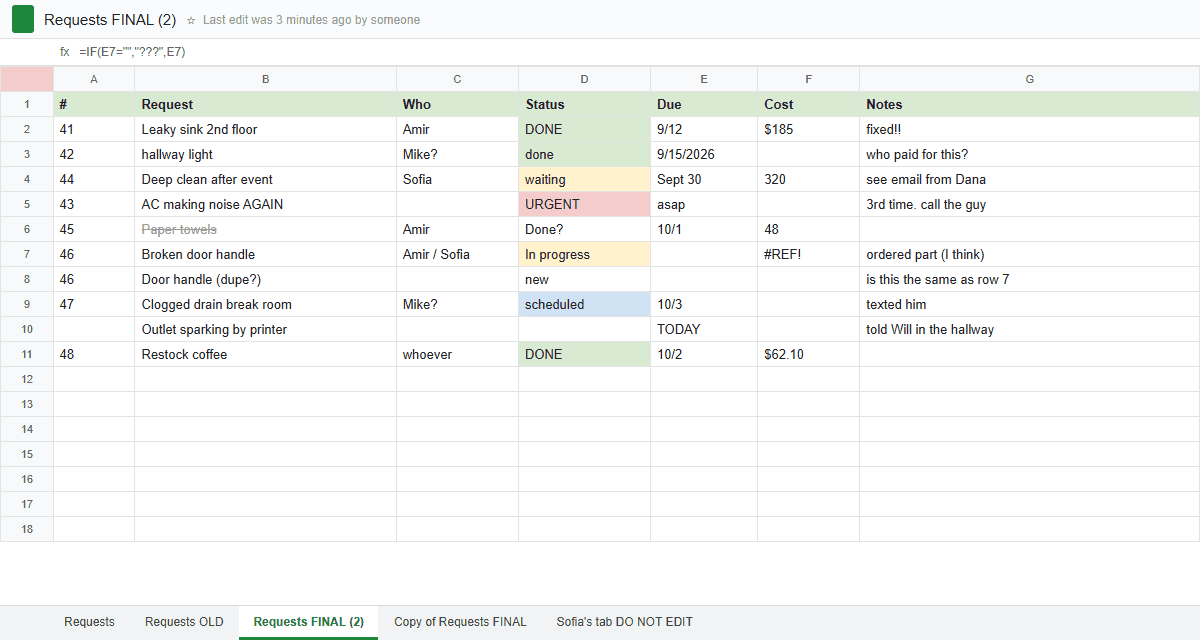
Drop in the Excel file or paste the Google Sheets link. Smart import works out which tabs are tickets, what each column means and how work moves, then brings every row over with its original date.
Free during the pilot
What you get
Reads every tab
Open and Resolved tabs come in together, with finished work already closed. Unrelated tabs are left out.
Understands your columns
Timestamps become created dates, the long answer becomes the details, and "Store Location:" becomes your store.
Sets up the stack
Fields, dropdown choices and stages, from checkbox columns like Request Received and Issue Resolved.
Adds your locations
Stores the sheet names that you haven't set up yet are offered as new locations.
Check before saving
See every column, stage and the first tickets on one page, and change anything first.
Undo for 30 days
Every import is listed in Settings. Undo removes exactly what it added.
The AI reads your column names and a few sample answers, never your whole sheet. Importing never emails anyone.
Questions
Does it work with Google Forms responses?+
Yes, that's what it was built on. Download the sheet as Excel or paste its link.
Will importing email my customers?+
No. Importing a thousand old requests sends zero emails.
What if it guesses wrong?+
You review everything before anything is saved, and you can undo an import for 30 days.
See how it works, step by step
- Help articleImport from a spreadsheetTurn your Google Form responses or any spreadsheet into a stack full of tickets, with original dates, quietly and undoably.
- How-to guide · 1 afternoonMove from Google Sheets in an afternoonBring your tracking spreadsheet over, history and all, then switch the team over without a big announcement.
- How-to guide · 30 minutesTurn Google Forms responses into ticketsReplace a Google Form and its response sheet with a form that creates tickets, assigns them and replies to the sender.
Goes well with
- Your own fields, steps and rulesStacks with the fields, steps, rules and automatic emails each kind of work needs.
- Reports and dashboardsCharts in your brand colors, dashboards from templates, and a scorecard by email.
- Web forms and QR codesA branded form for each kind of request: link it, embed it or print it as a QR code.
Try it with your own requests
Free while we build TicketStacker with a small group of businesses.